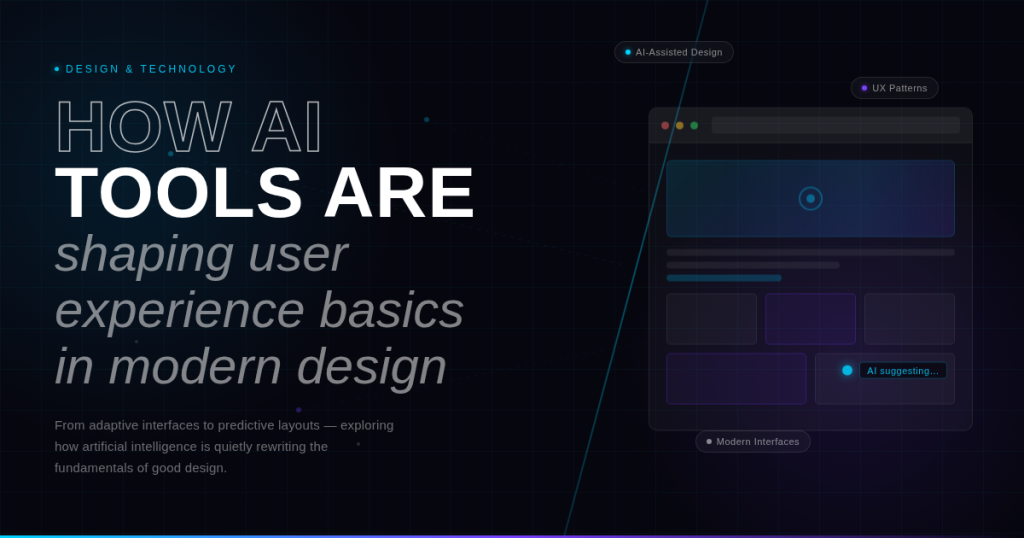
In the rapidly evolving world of digital design, the integration of artificial intelligence (AI) has become a transformative force. Designers no longer rely solely on manual processes; AI tools are now assisting in everything from layout generation to predictive personalization. Despite these advancements, the foundation of successful digital products remains the same: user experience basics. Understanding how AI tools can enhance, rather than compromise, these fundamentals is essential for modern designers aiming to create intuitive, engaging, and effective products.
In this article, we explore how AI is reshaping the practice of UX design while reinforcing the core user experience basics principles. We examine real-world examples from leading SaaS platforms and AI design tools, providing actionable insights for designers who want to leverage AI responsibly and effectively.
1. The Intersection of AI and User Experience Basics
AI has expanded the capabilities of designers, allowing them to automate repetitive tasks, generate creative options, and analyze user behavior at scale. Yet, while AI can offer remarkable efficiency, it cannot replace the foundational principles of UX. The core user experience basics—clarity, consistency, accessibility, feedback, and learnability—remain critical benchmarks against which AI-generated designs must be evaluated.
By integrating AI responsibly, designers can enhance usability, speed up workflows, and deliver more personalized experiences without sacrificing the principles of user experience basics.
2. AI-Assisted Design: Enhancing Clarity and Efficiency
Clarity is one of the most important user experience basics. Users must immediately understand what each element does, where to click, and what to expect from the system. AI tools can enhance clarity by generating layouts and content suggestions that follow established design patterns.
Example: BoltAI
BoltAI, an AI-driven design platform, helps users generate web and app layouts automatically. The AI suggests component arrangements that adhere to standard visual hierarchies, ensuring that primary actions stand out and reducing cognitive load for users. By automating these decisions, designers can maintain clarity while focusing on higher-level creative tasks.
Efficiency Gains:
-
AI automates repetitive layout adjustments.
-
Predictive design recommendations help new users follow UX best practices.
-
Designers spend more time refining interactions and visual storytelling.
By using AI to reinforce clarity, designers align advanced technologies with user experience basics, creating interfaces that are intuitive and easy to navigate.
3. Personalization and Contextual UX
Another key area where AI impacts user experience basics is personalization. Modern users expect products to adapt to their preferences, behaviors, and needs. AI enables interfaces to anticipate user actions, recommend relevant content, and tailor workflows.
Example: Notion AI
Notion AI observes how users interact with documents, templates, and workflows. It then suggests templates and content blocks that match user behavior, enhancing relevance without overwhelming the interface. This contextual intelligence aligns with the UX principles of clarity, efficiency, and learnability.
Key Benefits of AI-Driven Personalization:
-
Reduces cognitive load by presenting only relevant options.
-
Increases user satisfaction and engagement.
-
Helps novice users learn system functionality faster.
By incorporating personalization thoughtfully, AI tools help uphold the core user experience basics while providing a more tailored, satisfying experience.
4. Enhancing Consistency Through AI
Consistency is a cornerstone of user experience basics, ensuring users know what to expect from interactions. AI tools help maintain consistency across large and complex designs by standardizing components and interactions.
Example: Figma AI
Figma AI leverages machine learning to recommend consistent component usage and style applications. Whether designing buttons, dropdowns, or text blocks, AI suggestions adhere to the established design system. This reduces variability and ensures that user interactions remain predictable and intuitive.
Practical Applications:
-
Automatic component suggestions maintain visual and functional consistency.
-
AI ensures adherence to brand guidelines across multiple projects.
-
Reduces human error in repetitive design tasks.
By maintaining visual and interaction consistency, AI reinforces user experience basics, helping users feel comfortable and confident navigating the product.
5. AI in Feedback and Error Handling
Effective feedback is a key principle of user experience basics. Users need to understand the results of their actions and receive guidance when errors occur. AI can enhance feedback mechanisms by providing real-time responses, predictive corrections, and context-aware guidance.
Example: Grammarly
Grammarly uses AI to provide instant feedback on grammar, tone, and clarity. The system not only highlights errors but suggests context-appropriate corrections. This approach ensures that feedback is immediate, actionable, and non-intrusive—key aspects of user experience basics.
Benefits for UX:
-
Reduces user frustration by guiding corrective actions.
-
Encourages learning through contextual suggestions.
-
Provides real-time confirmation of task success.
In this way, AI strengthens feedback mechanisms, ensuring that users remain informed and supported throughout their interactions.
6. Learnability and Onboarding With AI
Learnability—the ease with which users understand and master a system—is fundamental to user experience basics. AI tools can facilitate onboarding and education, helping users learn new systems more quickly and efficiently.
Example: Figma AI Walkthroughs
Figma AI integrates interactive walkthroughs that adapt based on the user’s skill level. By observing how users interact with components, AI recommends tips and shortcuts tailored to their proficiency, accelerating the learning process while adhering to UX principles.
Key Takeaways:
-
Personalized onboarding reduces friction for new users.
-
Contextual hints and suggestions help users explore advanced features safely.
-
AI can provide progressive disclosure, revealing complex features gradually.
With AI-assisted learnability features, designers can uphold user experience basics while improving adoption and engagement.
7. Accessibility and Inclusive Design With AI
Accessibility is a crucial aspect of user experience basics, ensuring that users of all abilities can interact with digital products. AI tools enhance accessibility by automating adaptations and providing real-time support.
Example: Notion AI Accessibility Features
Notion AI offers accessibility-friendly templates, keyboard shortcuts, and screen-reader support. AI can detect potential accessibility issues and suggest design adjustments, making the product inclusive without adding manual complexity for designers.
Benefits:
-
Supports users with disabilities seamlessly.
-
Ensures compliance with accessibility standards.
-
Enhances overall usability and user satisfaction.
AI’s ability to monitor and suggest accessibility improvements ensures that user experience basics remain central in modern design.
8. Emotional Design and Micro-Interactions
While functionality is critical, emotional engagement is also part of user experience basics. AI enables micro-interactions and personalized responses that create delight, reinforce positive behavior, and strengthen user loyalty.
Example: Canva AI
When users complete a design, Canva AI triggers subtle animations and congratulatory messages. These micro-interactions reinforce achievement, making the interface more engaging and enjoyable.
Best Practices:
-
Use AI to deliver contextual, non-intrusive animations.
-
Celebrate user achievements subtly to create emotional connections.
-
Combine functional feedback with emotional design to enhance user satisfaction.
Through emotional design, AI strengthens the holistic application of user experience basics, blending usability with delight.
9. Data-Driven UX Optimization
AI provides designers with actionable insights by analyzing large volumes of user behavior data. This enables continuous optimization, a key component of user experience basics.
Example: BoltAI Analytics
BoltAI collects interaction data, measuring which AI-generated layouts or templates are most effective. Insights from these metrics inform iterative improvements, ensuring that the platform evolves according to user needs.
Benefits:
-
Identify friction points and areas for improvement.
-
Test alternative designs through A/B experiments.
-
Optimize workflows based on real usage patterns.
By leveraging AI for data-driven design decisions, teams reinforce user experience basics while continuously enhancing usability and satisfaction.
10. Ethical Considerations When Using AI in UX
While AI offers remarkable opportunities to enhance UX, ethical considerations are essential to maintaining user experience basics. Designers must ensure that AI respects user privacy, avoids bias, and remains transparent in its recommendations.
Best Practices:
-
Be transparent about how AI-generated content or suggestions are derived.
-
Protect user data and comply with privacy regulations.
-
Monitor AI for potential bias or discriminatory behavior.
-
Provide users with control over AI-assisted features.
Ethical AI integration ensures that advanced features support, rather than undermine, the fundamental principles of user experience basics.
Conclusion
AI tools are transforming the way designers approach user experience basics. From enhancing clarity, consistency, and accessibility to supporting emotional design and data-driven optimization, AI has become a powerful ally in modern UX design. However, technology should never replace foundational principles; instead, it should amplify them, enabling designers to create intuitive, efficient, and delightful experiences.
By understanding how AI can complement the core user experience basics, designers can leverage these tools responsibly, creating products that are not only functional but also engaging, inclusive, and user-centered. As AI continues to evolve, its thoughtful integration into UX design will remain essential for building experiences that resonate with users and stand out in the competitive digital landscape.