User Experience Basics: The Complete Beginner Guide to UX Design
In today’s digital economy, websites and applications compete intensely for user attention. Visitors have countless alternatives available within seconds, which means that the quality of a product’s experience often determines whether users stay or leave. This is why understanding user experience basics has become essential for designers, developers, entrepreneurs, and product managers.
User experience, often abbreviated as UX, refers to how users interact with a digital product and how they feel throughout that interaction. A great user experience allows users to complete tasks quickly, find information easily, and navigate interfaces without confusion. When UX is poorly designed, users encounter friction that leads to frustration and abandonment.
Modern users expect digital experiences that are fast, intuitive, and visually organized. If a website loads slowly, contains confusing navigation, or presents too much information at once, visitors will likely move to another site. Businesses that fail to prioritize UX frequently lose potential customers even if their products or services are valuable.
Understanding user experience basics enables organizations to design digital platforms that are both functional and enjoyable. By focusing on usability, clarity, accessibility, and thoughtful interface design, companies can significantly improve engagement and customer satisfaction.
This guide explores the core principles of UX design, explains why UX matters for digital success, and outlines practical methods for applying user experience basics in real-world projects.
What Is User Experience?
User experience describes the complete interaction between a person and a digital product. It includes not only how a website or application looks but also how it behaves and how efficiently users can accomplish their goals.
UX encompasses multiple elements including:
- Interface design
- Navigation structure
- Information architecture
- Page speed and performance
- Accessibility
- Content clarity
- Emotional satisfaction
For example, consider someone visiting an online store for the first time. Their journey might involve searching for a product, browsing categories, comparing options, and completing a purchase. If each step is smooth and intuitive, the user will likely feel satisfied and return again in the future.
However, if the site is slow, difficult to navigate, or contains confusing checkout processes, users quickly lose patience. Even small usability problems can create frustration and cause users to abandon the experience entirely.
This is why understanding user experience basics is critical for creating successful digital platforms.
Why User Experience Basics Matter
Many businesses initially focus on adding features or expanding functionality when building digital products. While features are important, they provide little value if users cannot easily discover or use them.
Applying user experience basics ensures that technology serves users rather than creating obstacles.
Improves Customer Satisfaction
When interfaces are intuitive and responsive, users can achieve their goals efficiently. This leads to positive emotional experiences and increases the likelihood of repeat visits.
Increases Conversion Rates
Good UX often leads directly to improved business results. Clear navigation, simple checkout processes, and visible calls to action guide users toward completing desired actions.
Examples include:
- Signing up for services
- Purchasing products
- Downloading resources
- Submitting contact forms
Strengthens Brand Perception
A polished and well-organized digital interface signals professionalism and credibility. Users often judge a company’s reliability based on the design quality of its website or application.
Reduces Support Costs
When products are easy to use, users require less assistance. Clear instructions and intuitive workflows reduce the number of customer support requests.
For these reasons, companies across industries increasingly prioritize UX as a core business strategy.
Core Principles of User Experience Basics
Understanding UX fundamentals begins with several core principles that guide effective design decisions.
Usability
Usability measures how easily users can interact with a system to complete tasks. High usability ensures that users can perform actions quickly and without confusion.
A highly usable interface typically includes:
- Clear navigation
- Simple workflows
- Logical page structures
- Minimal learning curve
Simplicity
One of the most important user experience basics is simplicity. Simple interfaces reduce cognitive load and allow users to focus on their goals.
Designers often remove unnecessary elements to ensure that every component serves a clear purpose.
Consistency
Consistency ensures that similar elements behave in predictable ways across a product.
Examples include:
- Consistent button styles
- Uniform navigation placement
- Repeated layout patterns
- Standardized typography
Consistency reduces the mental effort required to understand the interface.
Accessibility
Accessible design ensures that digital products can be used by individuals with disabilities.
Important accessibility considerations include:
- Screen reader compatibility
- Keyboard navigation support
- High color contrast
- Alternative text for images
Accessible products reach wider audiences and improve usability for everyone.
Feedback
Users need confirmation that their actions were successful. Feedback may appear as visual animations, messages, or loading indicators.
Clear feedback builds confidence and prevents confusion.
Key Components of UX Design
The process of applying user experience basics involves several stages that help designers create user-centered products.
User Research
User research helps teams understand the needs, behaviors, and challenges of their target audience. Without research, design decisions are often based on assumptions rather than real data.
Common research methods include interviews, surveys, analytics analysis, and usability studies.
Information Architecture
Information architecture organizes content so users can easily locate what they need.
Good information architecture includes:
- Logical content categories
- Clear navigation menus
- Structured page hierarchy
- Efficient search features
Wireframing
Wireframes are simplified visual layouts that outline the structure of a page before detailed design begins. They allow teams to experiment with layout ideas quickly.
Prototyping
Prototypes simulate interactive behavior, allowing designers to test workflows and interactions before development begins.
Usability Testing
Usability testing evaluates how real users interact with a product. Observing users complete tasks helps identify areas where improvements are needed.
Testing is essential for refining user experiences.
Common UX Mistakes
Ignoring user experience basics can result in several common design problems.
Overloaded Interfaces
Too many visual elements can overwhelm users and reduce clarity.
Confusing Navigation
If users cannot easily find information, they are likely to leave the site.
Slow Performance
Page speed significantly affects user satisfaction and search rankings.
Poor Mobile Optimization
A large portion of internet traffic comes from mobile devices, making responsive design essential.
Weak Calls to Action
Pages should clearly guide users toward the next step.
Practical Ways to Improve UX
Improving UX often involves incremental changes based on user experience basics.
Simplify Navigation
Limit navigation menus to essential categories and use clear labels.
Improve Page Speed
Optimize images, reduce scripts, and implement caching techniques.
Create Visual Hierarchy
Use headings, spacing, and contrasting colors to guide user attention.
Optimize Forms
Reduce unnecessary form fields and provide clear instructions.
Conduct Regular Testing
Continuous usability testing helps identify new opportunities for improvement.
The Future of User Experience
UX design continues evolving alongside technological innovation. Emerging trends include AI-assisted design tools, voice interfaces, and personalized user experiences.
Artificial intelligence tools can analyze user behavior and suggest interface improvements automatically. These technologies allow designers to experiment more rapidly and refine products with greater precision.
Voice-controlled interfaces are also becoming increasingly common as smart assistants gain popularity. Designing conversational interactions introduces new challenges and opportunities for UX professionals.
Despite these innovations, the core user experience basics remain constant. Successful products will always prioritize clarity, usability, and user-centered design.
Frequently Asked Questions (FAQ)
What are user experience basics?
User experience basics refer to the fundamental principles used to design digital products that are easy, intuitive, and enjoyable to use. These principles include usability, simplicity, accessibility, consistency, and clear feedback.
Why is user experience important?
User experience is important because it directly influences user satisfaction, engagement, and conversion rates. Good UX helps users accomplish tasks efficiently and improves overall perception of a brand.
What are the main elements of UX design?
The main elements of UX design include user research, information architecture, wireframing, prototyping, usability testing, and interface design.
What is the difference between UX and UI?
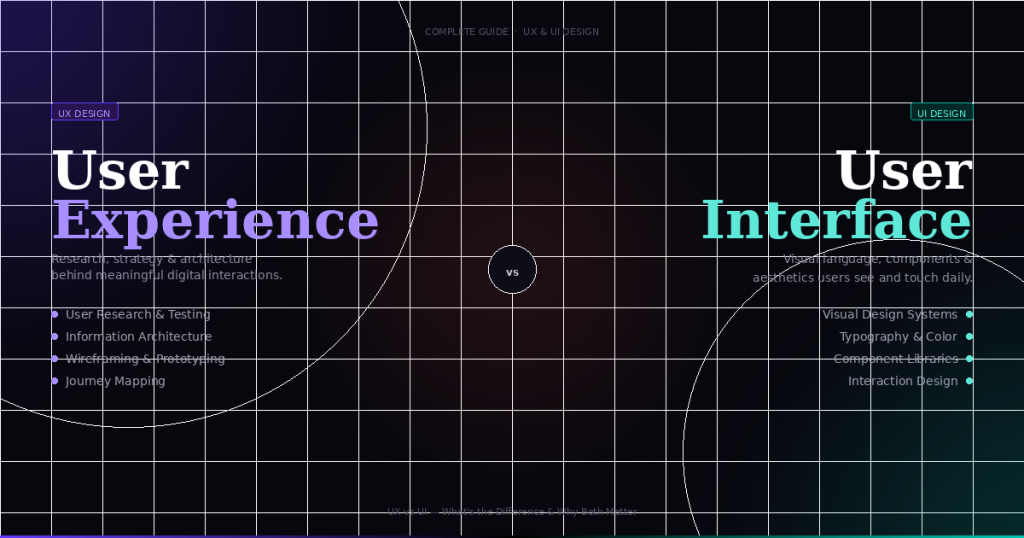
UX focuses on the overall experience of using a product, while UI (user interface) refers specifically to the visual elements such as buttons, typography, and layouts.
How can beginners learn UX design?
Beginners can learn UX by studying user behavior, practicing wireframing and prototyping, conducting usability testing, and learning design principles related to usability and accessibility.