Introduction
In the competitive digital landscape, users no longer tolerate confusing, slow, or inconsistent interfaces. Every click, swipe, or hover contributes to the overall perception of a product. For designers, understanding user experience basics is not optional—it’s critical to delivering intuitive, engaging, and high-performing digital experiences.
This guide provides a comprehensive roadmap for designers, covering:
-
Core UX principles
-
Expanded explanations and examples
-
AI SaaS case studies showing best practices
-
Wireframes and UX process flows
-
Metrics, testing, and advanced design strategies
By mastering user experience basics, designers can craft products that delight users, improve engagement, and drive measurable business results.
What Are User Experience Basics?
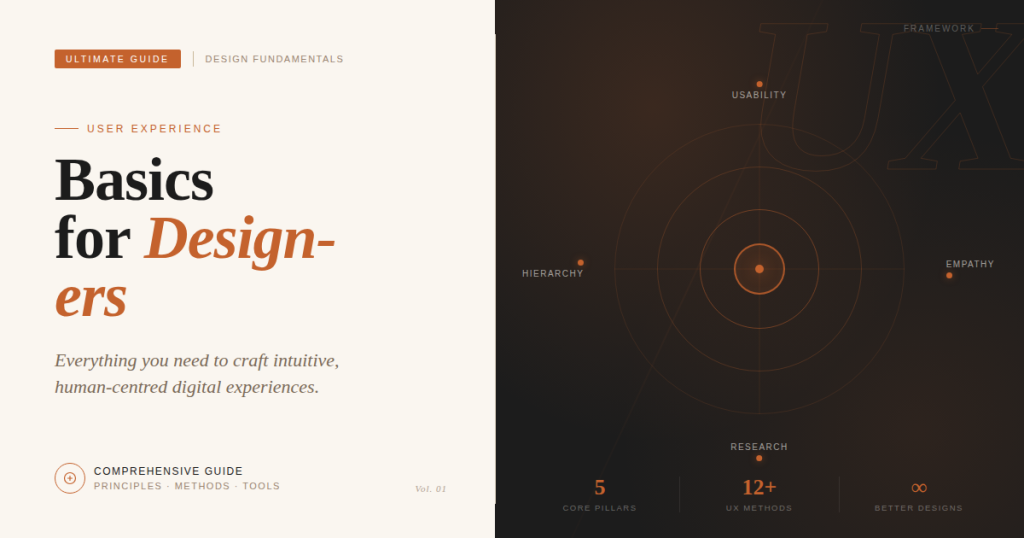
User experience basics are the fundamental principles that guide how users interact with digital products. They help ensure that a product is intuitive, engaging, efficient, and inclusive. Understanding these basics enables designers to create interfaces that are not only functional but also enjoyable to use.
Key characteristics of UX basics include:
- Intuitive: Users should immediately understand what actions are possible and how to perform them.
- Efficient: Tasks can be completed quickly without unnecessary effort.
- Engaging: The interaction should feel meaningful and responsive.
- Inclusive: All users, regardless of ability, should be able to use the product.

Example: On the Amazon homepage, users can easily locate the search bar, browse recommended products, and navigate through menus with minimal effort. The design demonstrates several UX principles, including simplicity, visual hierarchy, and efficient task flow.
By consistently applying these principles, designers can create products that are easy to learn, enjoyable to use, and capable of driving long-term engagement.
Why User Experience Basics Matter for Designers
Designers often focus heavily on aesthetics, but modern digital products require functional clarity and usability. Applying user experience basics ensures that design decisions are grounded in user behavior rather than assumptions.
Improved Product Adoption
When interfaces are intuitive and predictable, users are more likely to try and continue using a product. Good UX lowers the learning curve and encourages exploration.
Higher Conversion Rates
Clear calls-to-action, structured layouts, and frictionless flows directly impact sign-ups, purchases, and feature adoption. Designers who apply user experience basics help create conversion-optimized journeys.
Stronger Customer Retention
A seamless experience encourages repeat usage. Poor UX, on the other hand, leads to frustration and abandonment. Retention is often more influenced by usability than visual design.
Reduced Development Rework
When UX fundamentals are integrated early in the design process, teams avoid costly redesigns and engineering changes.
Core Principles of User Experience Basics
Principle 1: Simplicity

Simplicity is the foundation of usability. It reduces cognitive load and ensures users can focus on core tasks.
Text-Based Example:
When designing a SaaS dashboard, a cluttered interface forces users to hunt for key functions. A simple, minimalist design highlights essential actions while reducing distractions.
Real-World Example:
Google Search: Minimalist interface, single search bar, no clutter.
BoltAI: Templates and inline AI suggestions streamline complex design tasks.
Implementation Tips:
-
Highlight the primary action on each screen.
-
Remove redundant or unnecessary elements.
-
Use progressive disclosure for advanced features.
-
Keep language concise and understandable.
Principle 2: Consistency
Consistency builds familiarity and reduces cognitive load. Users quickly learn patterns, which speeds up navigation and task completion.

Text-Based Example:
In SaaS apps, consistent menu placement, button styles, and interactions ensure users don’t need to relearn the interface for each feature.
Case Study:
Figma AI maintains consistent editing tools across the interface, helping users focus on design rather than interface navigation.
Tips for Designers:
-
Use a style guide or design system.
-
Ensure similar functions behave the same way across screens.
-
Maintain visual hierarchy and navigation placement.
Principle 3: Feedback

Feedback lets users know the results of their actions. Without feedback, users may feel lost or frustrated.
Text-Based Example:
When a user clicks “Save” in a form, a subtle confirmation message reassures them their action succeeded.
AI SaaS Example:
Canva AI: Users receive live previews and contextual suggestions as they design, reinforcing confidence.
Best Practices:
-
Provide visual cues for interactions.
-
Use haptic or audio feedback where appropriate.
-
Display clear, actionable error messages.
-
Confirm critical or destructive actions.
Principle 4: Accessibility
Design must be inclusive. Accessibility ensures that products are usable by people with visual, auditory, motor, or cognitive impairments.
Example:
Microsoft Accessibility Hub: Provides high-contrast modes, screen reader compatibility, and keyboard navigation.
AI SaaS Example:
Figma AI: Auto-checks for color contrast, font readability, and layout compliance.
Implementation Tips:
-
Provide alternative text for images.
-
Ensure interactive elements are keyboard-accessible.
-
Maintain sufficient contrast ratios and readable fonts.
-
Test with accessibility checkers and real users.
Principle 5: Visual Hierarchy
Visual hierarchy guides users’ attention to the most important elements. Proper hierarchy is a basic of user experience and improves task efficiency and decision-making.
Example:
Figma Dashboard: Primary actions highlighted; secondary tools are de-emphasized.
AI SaaS Example:
BoltAI: Key creative tools prioritized; advanced options hidden until needed.
Implementation Tips:
-
Use size, color, and placement strategically.
-
Group related items logically.
-
Maintain whitespace to reduce clutter.
Principle 6: Efficiency
Efficiency ensures users complete tasks quickly. Reducing unnecessary steps improves satisfaction and retention is one of the key principles of basic user experience.
Example:
Canva AI: Drag-and-drop interface and AI-assisted suggestions speed up design workflows.
Implementation Tips:
-
Minimize clicks for key actions.
-
Offer shortcuts and templates for repetitive tasks.
-
Optimize load times and transitions.
-
Continuously test flows for friction points.
Principle 7: Learnability
Learnability ensures new users can quickly understand a product. It is crucial for SaaS tools and complex interfaces and is one of the must-have user experience basics.
Example:
Figma AI: Onboarding tutorials, progressive feature reveal, and contextual tooltips improve user understanding.
Implementation Tips:
-
Gradually introduce core features.
-
Use tooltips and overlays for advanced functionality.
-
Maintain consistent labels and icons.
-
Include guided tours for complex workflows.
Principle 8: Emotional Design
Emotional design enhances engagement. Users respond positively to small, delightful interactions.
Examples:
-
Slack Emoji Reactions: Fun and social feedback.
-
Canva AI Celebrations: Rewards for completed designs.
Implementation Tips:
-
Subtle animations for feedback.
-
Celebrate user milestones.
-
Use color and tone to evoke emotion.
-
Avoid distracting users with excessive effects.
Principle 9: Progressive Disclosure
Reveal information gradually to prevent overwhelming users. This maintains simplicity and learnability.
Example:
BoltAI hides advanced design options until users become familiar with the core interface.
Implementation Tips:
-
Show only necessary information upfront.
-
Reveal advanced features on-demand.
-
Provide contextual hints for next steps.
Principle 10: Personalization
Tailor experiences to individual users to improve efficiency, satisfaction, and retention.
Examples:
-
Figma AI: Suggests design components based on project type.
-
Notion AI: Offers templates based on user content creation patterns.
Implementation Tips:
-
Use behavioral data to personalize recommendations.
-
Maintain user control over automated suggestions.
-
Avoid overwhelming users with too many personalized options.
AI SaaS Case Studies Applying User Experience Basics
Modern AI SaaS platforms offer excellent real-world examples of user experience basics in action. These platforms not only demonstrate intuitive design but also integrate AI to improve efficiency, feedback, and learnability.
Case Study 1: BoltAI

BoltAI is an AI-powered design tool that helps designers generate responsive web and mobile layouts quickly. Its design embodies multiple user experience basics principles: simplicity, consistency, feedback, and efficiency.
Key UX Features:
-
Template-based workflows reduce decision fatigue.
-
Inline AI suggestions guide users and speed up iterations.
-
Minimalist interface keeps the focus on core tasks.
-
Real-time previews provide immediate feedback for user actions.
UX Principles Applied:
- Simplicity: The interface is minimalistic, emphasizing essential tools.
- Consistency: Design patterns remain uniform across the platform.
- Feedback: Users receive instant AI suggestions and previews.
- Learnability: Onboarding tutorials introduce features gradually.
- Personalization: AI templates adapt to user behavior and project type.
Workflow Example:
- User logs in → Landing dashboard highlights common tasks.
- Selects a template → AI suggests layout adjustments.
- Edits design → Real-time preview confirms changes.
- Saves/export → Confirmation feedback is provided.
Impact: BoltAI has improved user efficiency by reducing the average design time for new projects by over 40%.
Why It Works: BoltAI’s onboarding flow is simple yet effective. Users are guided step by step, with inline AI prompts reducing cognitive load and improving learnability. Its clean interface and predictable navigation maintain consistency across templates, ensuring designers can focus on creativity rather than figuring out the tool.
UX Takeaways:
-
Minimalism improves task efficiency.
-
Inline AI feedback reinforces user confidence.
-
Templates enhance learnability and consistency.
Case Study 2: Canva AI
Canva AI has revolutionized graphic design for non-designers and professionals alike. It demonstrates user experience basics by providing an interface that is both powerful and easy to use.
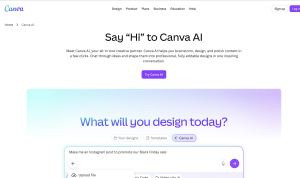
Key UX Features:
-
Drag-and-drop simplicity allows users to manipulate elements efficiently.
-
Guided workflows help beginners understand design principles without prior knowledge.
-
AI-generated suggestions accelerate creativity and reduce effort.
-
Visual hierarchy ensures important tools and actions are highlighted.
UX Principles Applied:
- Efficiency: Pre-built templates and AI suggestions minimize user effort.
- Simplicity: Clear interface guides users through each step.
- Visual Hierarchy: Core tools are prominently displayed, while secondary features are hidden.
- Emotional Design: Celebration animations reward completed designs.
- Accessibility: Keyboard shortcuts and assistive features improve usability.
Workflow Example:
- User opens Canva → Home dashboard displays popular templates.
- Selects a design → AI recommends color palettes, font pairings.
- Makes adjustments → Live preview provides instant feedback.
- Downloads or shares → Visual confirmation ensures successful action.
Impact: Users report faster completion of marketing materials and social media posts, improving productivity and engagement.
Why It Works: Canva AI’s onboarding introduces core functionality gradually, improving learnability. Its drag-and-drop interface reduces friction and supports efficiency. By providing AI suggestions contextually, Canva guides users without overwhelming them, demonstrating emotional design and feedback principles.
UX Takeaways:
-
Guided workflows enhance learnability.
-
Contextual AI improves efficiency and reduces errors.
-
Clear visual hierarchy directs user attention effectively.
Case Study 3: Figma AI
Figma AI integrates AI features into the widely-used Figma design platform, enhancing collaboration and productivity.
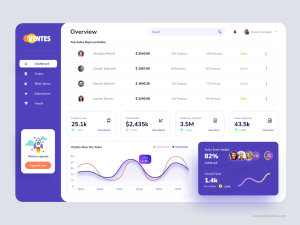
Key UX Features:
-
Inline AI suggestions for layout improvements and copywriting.
-
Undo/redo options maintain predictability.
-
Real-time collaboration ensures consistent experience across teams.
-
Clear visual hierarchy prioritizes key tools while hiding advanced options.
UX Principles Applied:
- Consistency: Maintains predictable design patterns across teams.
- Feedback: Real-time collaboration and inline suggestions provide immediate feedback.
- Learnability: Onboarding guides and contextual tooltips ease adoption.
- Personalization: Suggests components based on project type and user activity.
- Progressive Disclosure: Advanced features revealed as users gain experience.
Workflow Example:
- Team member opens a project → Dashboard displays key files.
- Uses AI to generate components → Inline suggestions appear.
- Collaborates in real time → Feedback shows updates instantly.
- Finalizes design → Confirmation of saved components.
Impact: Figma AI reduces design iteration cycles and enhances team collaboration.
Why It Works: Figma AI maintains the consistency principle across collaborative projects. Inline suggestions provide feedback in real-time, and its minimal interface ensures users focus on design tasks efficiently.
UX Takeaways:
-
Real-time feedback reinforces confidence.
-
Collaboration tools must be intuitive to reduce friction.
-
Hierarchy and consistency improve task efficiency.
Case Study 4: GitHub Copilot
GitHub Copilot is an AI coding assistant that demonstrates user experience basics in developer tools.
Key UX Features:
-
Inline code suggestions reduce typing effort and errors.
-
Predictive autocompletion enhances efficiency.
-
Minimal UI avoids distracting developers.
-
Interactive tutorials and documentation improve learnability.
UX Principles Applied:
- Efficiency: Inline suggestions reduce typing and coding errors.
- Simplicity: Minimal interface keeps focus on coding.
- Feedback: Suggestions are immediately visible, with acceptance or rejection options.
- Learnability: Easy onboarding and intuitive integration with IDEs.
- Personalization: Learns coding patterns to improve relevance.
Workflow Example:
- Developer opens a project → IDE with Copilot integration.
- Writes partial code → Copilot provides suggestions.
- Accepts/edits suggestions → Real-time feedback confirms functionality.
- Completes module → Confirmation of integrated code.
Impact: Reduces development time, decreases repetitive coding tasks, and enhances developer productivity.
Why It Works: By providing contextual AI suggestions without overwhelming the interface, GitHub Copilot ensures developers can complete tasks faster while maintaining control. Feedback appears in real-time, supporting user confidence and efficiency.
UX Takeaways:
-
Contextual feedback increases productivity.
-
Minimalist design reduces cognitive load.
-
Learnability is improved with inline guidance and tutorials.
Case Study 5: Notion AI
Notion AI combines note-taking with AI-driven content suggestions, demonstrating user experience basics in knowledge management tools.
Key UX Features:
-
AI templates guide users in creating documents.
-
Predictive writing suggestions enhance efficiency.
-
Clear hierarchy differentiates AI suggestions from user input.
-
Accessible interface supports a variety of users.
UX Principles Applied:
- Simplicity: Clean workspace with clear visual hierarchy.
- Learnability: Step-by-step guidance and onboarding tutorials.
- Efficiency: Pre-built AI templates accelerate content creation.
- Accessibility: Keyboard navigation, assistive features, and responsive design.
- Personalization: Tailors suggestions based on user activity and workflow.
Workflow Example:
- User opens Notion → Workspace displays recommended templates.
- Selects a template → AI auto-generates content suggestions.
- Edits or refines content → Real-time preview updates the workspace.
- Completes page → Confirmation feedback ensures successful save.
Impact: Increases productivity, reduces repetitive tasks, and helps users maintain organized, high-quality content.
Why It Works: Notion AI simplifies complex content creation, applying simplicity, feedback, and efficiency principles. Users can adopt AI suggestions easily without losing control over content.
UX Takeaways:
-
AI suggestions should be non-intrusive.
-
Visual hierarchy separates AI from user-generated content.
-
Accessibility ensures broad usability.
UX Wireframes and Process Flows
Wireframes and process flows help visualize user experience basics before implementation. They allow designers to test usability and iterate efficiently.
Wireframe: Onboarding Flow
Flow Steps:
-
Welcome screen with primary call-to-action
-
Step-by-step tutorial screens
-
Dashboard landing with main tools
UX Process Flow Diagram
Steps:
User Signs Up → Guided Onboarding → Completes First Task → Feedback → Dashboard → Continued Engagement
Mobile App Wireframe
-
Home screen layout with primary navigation
-
AI suggestions panel
-
Action buttons with clear feedback
-
Secondary options tucked under menus
UX Metrics, Testing, and Optimization
Measuring, testing, and optimizing user experiences is a critical aspect of applying user experience basics effectively. UX metrics provide insights into how users interact with a product, highlight areas for improvement, and ensure that design decisions are informed by real-world data rather than assumptions. Continuous optimization based on these insights allows teams to enhance usability, engagement, and overall satisfaction.
Understanding Key UX Metrics
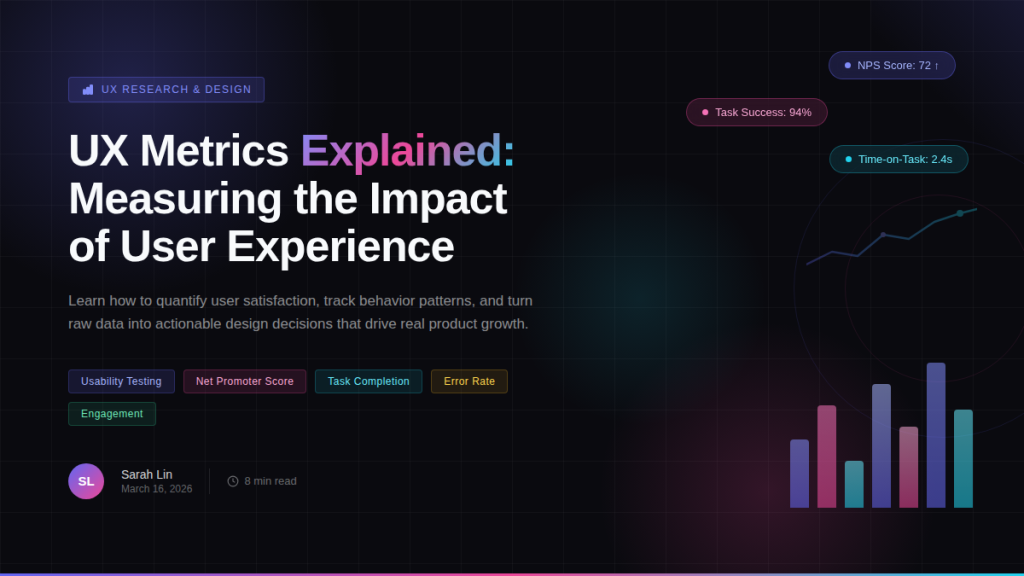
To maintain high standards in user experience basics, designers should monitor a combination of quantitative and qualitative metrics:
- Task Completion Rate: Measures how easily users can complete tasks. Low rates indicate usability issues that need attention.
- Error Rate: Tracks mistakes or failed attempts during interactions, highlighting confusing elements.
- Time on Task: Indicates efficiency; excessive time may suggest navigational or workflow problems.
- User Satisfaction Scores: Gathered via surveys, these scores reflect overall satisfaction and alignment with user experience basics principles.
- Engagement Metrics: Measures interaction frequency, feature adoption, and session length, indicating user engagement and value perception.
- Retention Rates: Track how often users return to a product, providing insight into long-term usability and delight.
Usability Testing
Testing is a cornerstone of validating user experience basics in any design. Usability tests involve observing users as they interact with a product, providing insights into friction points, errors, and areas for improvement.
- Conduct both in-person and remote usability sessions.
- Test with a representative sample of your target audience.
- Use task-based scenarios to measure success and efficiency.
- Record observations and gather qualitative feedback. Example: BoltAI conducts usability tests to ensure AI template suggestions are intuitive, helping new users complete designs faster and more effectively.
A/B Testing and Experimentation
A/B testing allows designers to compare different interface variations and determine which design aligns best with user experience basics principles.
- Test one variable at a time to isolate its impact.
- Measure performance indicators such as click-through rates, conversion rates, or feature adoption.
- Implement the best-performing variation while iterating on others. Example: Canva AI tests different AI suggestion formats to find the balance between guidance and user control, optimizing usability and satisfaction.
Continuous Feedback Loops
Regular feedback from users ensures that user experience basics are continuously applied and refined.
- Collect in-app feedback through surveys or prompts.
- Analyze support tickets and community discussions to identify common pain points.
- Implement a system for prioritizing and acting on feedback efficiently. Example: Figma AI leverages user feedback to improve AI-generated component suggestions, refining workflows to enhance collaboration and usability.
Data-Driven Optimization
Optimization involves iteratively improving the user experience using collected data and testing insights.
- Monitor trends in metrics over time to identify areas of improvement.
- Use predictive analytics to anticipate user needs and enhance workflows.
- Iterate designs based on evidence, not assumptions, aligning every update with user experience basics principles. Example: Notion AI tracks template usage and user interaction patterns to optimize layout, recommendation systems, and AI content suggestions.
Aligning Metrics with UX Principles
All measurement and optimization activities should reinforce the foundational elements of user experience basics:
- Clarity: Ensure users understand interface elements.
- Consistency: Maintain predictable design patterns across interactions.
- Feedback: Users receive immediate, informative responses.
- Efficiency: Reduce unnecessary steps and optimize workflows.
- Learnability: New users can quickly understand and navigate the product.
- Accessibility: Metrics should also consider usability across diverse abilities.
Case Study: BoltAI conducts usability testing on new templates before launch. By measuring task completion rates and collecting user feedback, designers optimize workflows, improving both efficiency and satisfaction.
Integrating AI Tools While Maintaining UX Principles
The integration of AI tools into digital products has transformed how designers approach UX. While AI can automate repetitive tasks, provide predictive insights, and enhance personalization, it is essential to ensure that these tools align with core user experience basics principles. AI should augment user capabilities without compromising usability, clarity, or engagement.
Balancing Automation and User Control
A fundamental principle of user experience basics is giving users control over their actions. AI tools should provide suggestions and automation, but users must retain the ability to accept, reject, or modify these recommendations.
- Ensure AI suggestions are transparent and explainable.
- Provide clear options for user intervention.
- Avoid making decisions on behalf of users without consent. Example: Canva AI allows users to customize AI-generated design elements, maintaining creative control while benefiting from AI efficiency.
Enhancing Learnability Through AI
AI tools can improve learnability, a core component of user experience basics, by guiding users through complex tasks and reducing the learning curve.
- Use AI-driven onboarding tutorials to introduce features gradually.
- Provide contextual hints based on user behavior and skill level.
- Offer predictive suggestions to accelerate mastery of advanced functionalities. Example: Figma AI recommends components and layout adjustments in real time, helping users learn best design practices intuitively.
Personalization Without Overwhelming the User
Personalization enhances relevance but must be implemented carefully to uphold user experience basics.
- Leverage AI to tailor content, recommendations, and workflows.
- Avoid overwhelming users with excessive or irrelevant suggestions.
- Enable users to customize personalization settings to match their preferences. Example: Notion AI suggests templates and content based on user activity, enhancing productivity while keeping the interface simple and intuitive.
Maintaining Consistency and Predictability
Consistency is a pillar of user experience basics and should not be compromised when integrating AI.
- Ensure AI-driven actions follow established interface patterns.
- Maintain uniform visual and interaction design across AI suggestions.
- Test AI features across different scenarios to avoid unexpected behaviors. Example: BoltAI’s AI-generated template suggestions follow the same visual style and workflow as manually created projects, ensuring a seamless user experience.
Providing Clear Feedback and Transparency
Feedback is a critical principle of user experience basics. Users need to understand what AI is doing and why.
- Highlight AI-generated actions with visual cues or notifications.
- Explain suggestions or automated actions in plain language.
- Allow users to undo or revert AI-generated changes. Example: GitHub Copilot provides inline code suggestions with clear indicators, helping developers understand and control the AI’s input.
Ethical Considerations and Trust
Integrating AI tools also requires attention to ethical standards to maintain user trust, a key aspect of user experience basics.
- Ensure AI does not introduce bias or unfair outcomes.
- Clearly communicate how AI uses data.
- Protect user privacy and adhere to data regulations. Example: Notion AI anonymizes user data while offering personalized content suggestions, preserving user trust and adherence to UX best practices.
Continuous Iteration and User Testing
AI features should be iteratively refined based on user feedback and usage data, aligning with user experience basics principles.
- Conduct usability tests specifically for AI-driven workflows.
- Collect feedback on clarity, efficiency, and satisfaction.
- Adjust AI behavior based on insights to improve overall UX. Example: Figma AI monitors user interactions with AI-generated components and refines suggestions to enhance usability
Advanced UX Design Strategies
While mastering user experience basics is essential, advanced UX design strategies help designers take their work to the next level, ensuring that products not only meet functional requirements but also create meaningful, engaging, and delightful experiences. These strategies integrate cognitive psychology, behavioral insights, AI, and iterative design processes to optimize usability and engagement while reinforcing the core principles of user experience basics.
Cognitive Load Reduction in User Experience Basics
Advanced UX design emphasizes minimizing cognitive load, enabling users to process information efficiently without becoming overwhelmed. By presenting only essential information, chunking content into manageable units, and progressively disclosing advanced features, designers enhance the overall user experience.
- Break complex tasks into smaller, manageable steps.
- Highlight critical actions using visual cues.
- Use progressive disclosure to reveal advanced functions gradually.
- Employ consistent visual language to reduce mental effort. Example: BoltAI implements template-driven workflows and inline AI suggestions, enabling users to focus on high-value design decisions, exemplifying user experience basics in practice.
Contextual and Personalized Experiences in UX Basics
Delivering context-aware and personalized experiences enhances relevance and engagement. Leveraging AI and user data, designers can create adaptive interfaces that anticipate user needs, a key aspect of mastering user experience basics.
- Personalize content based on user behavior and preferences.
- Provide context-sensitive guidance and suggestions.
- Optimize navigation paths according to user workflows.
- Balance automation with user control to maintain trust. Example: Notion AI recommends templates and content suggestions based on workflow patterns, streamlining user tasks and reflecting advanced user experience basics principles.
Emotional Design and Micro-Interactions for User Experience Basics
Emotional design involves crafting interfaces that evoke positive feelings, enhancing engagement and memorability. Micro-interactions, such as hover effects, progress animations, and success notifications, play a crucial role in reinforcing user experience basics.
- Incorporate subtle animations to indicate system responses.
- Celebrate user achievements with visual or auditory cues.
- Use engaging color schemes and typography to influence mood.
- Maintain consistency in micro-interactions to build trust and familiarity. Example: Canva AI uses celebratory animations when users complete a design, highlighting the integration of emotional design with user experience basics.
Data-Driven UX Iteration for User Experience Basics
Continuous data collection and analysis allow designers to refine user experiences effectively. Tracking engagement, conducting A/B tests, and collecting feedback are essential for applying user experience basics in advanced contexts.
- Monitor metrics like task completion, error rates, and user satisfaction.
- Conduct usability tests for qualitative insights.
- Implement A/B testing to compare alternative designs.
- Iterate designs based on findings to optimize UX. Example: Figma AI tracks how users interact with AI-generated components, improving usability and collaboration while reinforcing user experience basics principles.
Multi-Platform Consistency in User Experience Basics
Maintaining consistency across web, mobile, and desktop platforms ensures seamless experiences, a core component of user experience basics.
- Design responsive layouts adaptable to different screens.
- Maintain consistent functionality, navigation, and visual design.
- Utilize design systems to unify components across platforms. Example: GitHub Copilot ensures consistent coding assistance across IDEs, illustrating multi-platform consistency in user experience basics.
Anticipatory Design and User Experience Basics
Anticipatory design predicts user needs and proactively provides solutions, enhancing efficiency and satisfaction while exemplifying user experience basics.
- Use AI to analyze behavior and forecast needs.
- Preload content or suggestions based on context.
- Minimize decision-making by offering relevant defaults and recommendations. Example: BoltAI anticipates next steps in design workflows and preloads relevant templates, reducing cognitive effort and reinforcing user experience basics.
Accessibility and Inclusive Design in User Experience Basics
Accessibility is integral to advanced UX strategies and essential for comprehensive user experience basics.
- Support screen readers, keyboard navigation, and voice control.
- Test designs with diverse users to uncover barriers.
- Ensure AI features do not exclude users unintentionally. Example: Notion AI incorporates accessible templates and shortcuts, demonstrating inclusive design as part of advanced user experience basics.
SUX Checklist for Designers
A well-structured UX checklist helps designers evaluate their products systematically against core user experience basics principles. This section now combines descriptive text with bullet points for clarity and ease of reference.
Ensure Clarity
Clarity is essential for a seamless user experience. Each element within your product should communicate its purpose immediately. Users should not have to guess the function of buttons, menus, or actions. For example, BoltAI prominently labels the “Create New Project” button, making the primary action obvious. Designers should observe first-time users interacting with the product to ensure that the interface is self-explanatory and intuitive.
- Use concise, descriptive language
- Highlight primary actions
- Avoid jargon
Maintain Consistency
Consistency reduces cognitive load and creates predictability.
- Keep typography, colors, and spacing uniform
- Reuse interface components across screens
- Ensure similar functions behave identically Example: Figma AI maintains consistent component styles in all projects.
Provide Feedback
Immediate and meaningful feedback informs users about the results of their actions.
- Use visual cues for success, error, or in-progress states
- Implement animations or notifications for actions
- Confirm critical operations through alerts Example: Canva AI shows live AI suggestions and preview updates.
Design for Accessibility
Accessibility ensures usability for all users, including those with disabilities.
- Support screen readers
- Include high contrast modes
- Enable keyboard navigation
- Test using accessibility tools and real users Example: Notion AI offers accessible templates and shortcut navigation.
Apply Visual Hierarchy
Visual hierarchy guides attention and communicates element importance.
- Use size, color, spacing, and placement effectively
- Group related content logically
- Emphasize primary actions, collapse secondary options Example: BoltAI emphasizes core tools to prevent clutter.
Optimize Efficiency
Efficiency minimizes effort and maximizes productivity.
- Reduce steps for frequent tasks
- Provide templates and AI-assisted features
- Streamline workflows Example: GitHub Copilot offers inline code suggestions to accelerate development.
Ensure Learnability
Learnability helps users quickly understand the product.
- Provide onboarding tutorials and tooltips
- Gradually introduce advanced features
- Avoid overwhelming new users Example: Figma AI uses interactive walkthroughs for progressive learning.
Integrate AI Responsibly
AI should enhance, not complicate, the user experience.
- Allow users to accept, reject, or modify AI suggestions
- Maintain transparency and control Example: Canva AI allows content customization while leveraging AI efficiency.
Monitor UX Metrics
Tracking UX metrics informs iterative improvements.
- Measure task completion, error rates, and satisfaction
- Conduct A/B testing and review analytics Example: BoltAI tracks template usage and AI suggestion acceptance.
Incorporate Emotional Design and Personalization
Emotional design increases engagement and satisfaction.
- Reward milestones and achievements
- Personalize AI suggestions based on user behavior
- Balance engagement without overwhelming users Example: Notion AI tailors templates and recommendations to individual users.
Frequently Asked Questions (FAQ) on User Experience Basics
What are user experience basics?
User experience basics refer to the foundational principles designers use to create intuitive, efficient, and engaging digital interfaces. These include usability, accessibility, consistency, performance optimization, user research, and clear navigation structures.
Why are user experience basics important for designers?
User experience basics help designers create products that users can understand quickly and use efficiently. Strong UX improves conversion rates, reduces churn, increases satisfaction, and supports long-term product success.
What is the difference between UX and UI design?
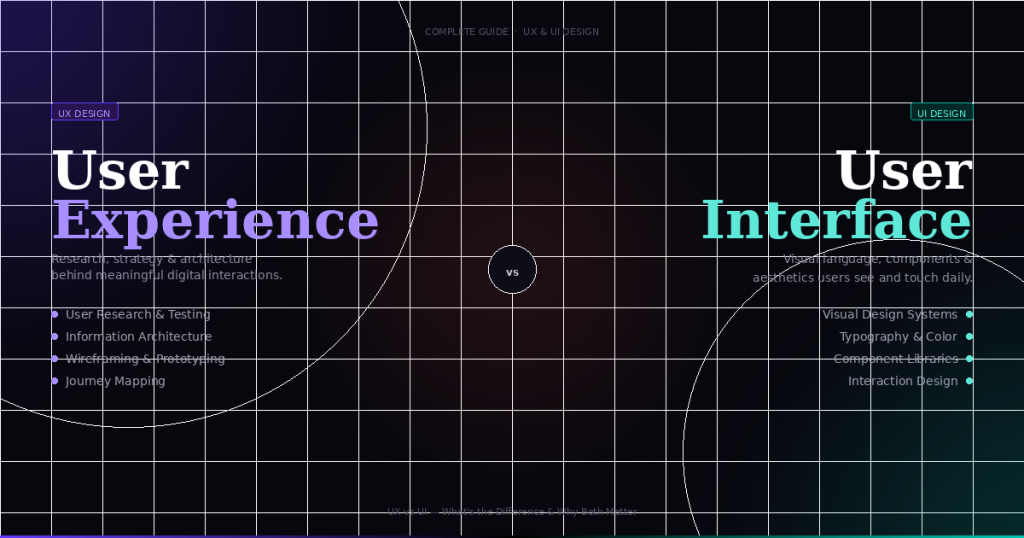
UX design focuses on overall interaction quality, usability, and user satisfaction. UI design focuses on visual elements such as colors, typography, spacing, and layout aesthetics. Both disciplines work together to create effective digital products.
How can designers improve their understanding of user experience basics?
Designers can improve by conducting usability tests, studying analytics data, building real-world projects, learning from case studies, and continuously iterating on feedback. Practical experience is essential for mastering UX fundamentals.
What tools are commonly used to apply user experience basics?
Designers use tools like Figma, Adobe XD, and Sketch for wireframing, prototyping, collaboration, and usability validation.
How do user experience basics influence SEO performance?
Good UX improves page load speed, reduces bounce rates, increases engagement time, and enhances mobile usability — all of which are important ranking factors for search engines.
What is the biggest mistake designers make regarding UX basics?
One of the biggest mistakes is designing based on assumptions rather than real user insights. Skipping research and testing often leads to features that fail to deliver value.
Can strong user experience basics increase business revenue?
Yes. Improved usability and conversion-focused design can directly impact revenue by increasing customer acquisition, retention, and lifetime value.
Conclusion
Mastering user experience basics is essential for modern designers. From simplicity and consistency to feedback, accessibility, and efficiency, these principles guide the creation of intuitive, engaging, and high-performing digital products.
AI SaaS tools, including BoltAI, Canva AI, Figma AI, GitHub Copilot, and Notion AI, provide concrete examples of these principles in action. Wireframes, UX flows, metrics, and testing allow designers to implement these fundamentals systematically.
Key Takeaways:
-
Focus on clarity, consistency, and feedback in every interaction.
-
Design for accessibility and inclusivity.
-
Guide users through visual hierarchy and progressive disclosure.
-
Integrate AI tools thoughtfully to enhance efficiency and learnability.
-
Continuously measure, test, and optimize UX performance.
-
Use emotional design and personalization to engage users.
By applying these practices, designers can create products that delight users, drive business outcomes, and set a standard for exceptional user experience basics.